5 min read
Your Roadmap to Creating an Effective Website
.webp)
Share
Creating an effective website is not just about aesthetics; it's a strategic journey that involves thoughtful planning and execution. Whether you're a seasoned web developer or a novice, this blog serves as your comprehensive roadmap to creating a website that not only captures attention but also engages and converts visitors.
[[break]]
1. Create a Plan: Define Your Path to Success
You wouldn't start a cross-country road trip without a map, would you? Your web development journey is no different.
Define Scope:
Clearly outline the features and functionalities your website needs. Set project timelines and milestones to keep everyone on the same page.
Budget and Resources:
Determine the financial resources required. Allocate human resources and roles within your team. Because, let's face it, every dream team needs a game plan.
2. Identify a Goal: What Drives Your Website?
Before you hit the accelerator, you need to know where you're going.
Define Objectives:
Clearly outline the purpose of your website. Are you aiming for lead generation, brand awareness, or perhaps boosting e-commerce sales? Define your mission.
Audience Analysis:
Conduct market research to align your website's design and content with their expectations. It's not just a website; it's an experience.
3. Sitemap & Moodboards: Your Design Blueprint
Think of this phase as choosing your destinations and planning the scenic route.
Sitemap Creation:
Develop a visual representation of your website's structure. Plan the navigation and user flow like you're plotting stops on your road trip.

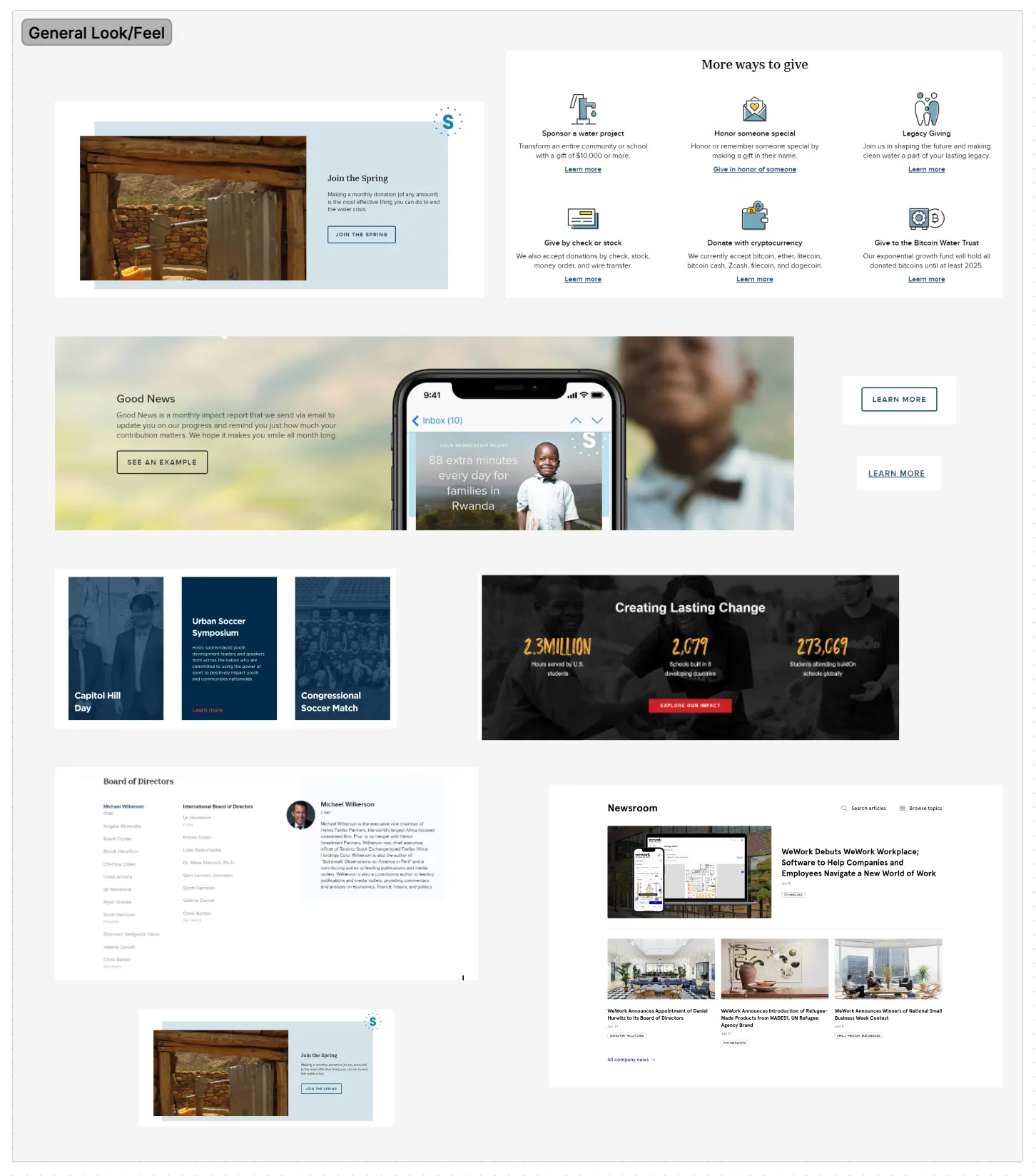
Moodboards:
Collect visual inspiration for your website's aesthetic. Establish a design direction with color schemes, typography, and imagery. Your website's personality is crucial.
4. Wireframe: Building the Foundation
It's time to put pen to paper and sketch out your vision.
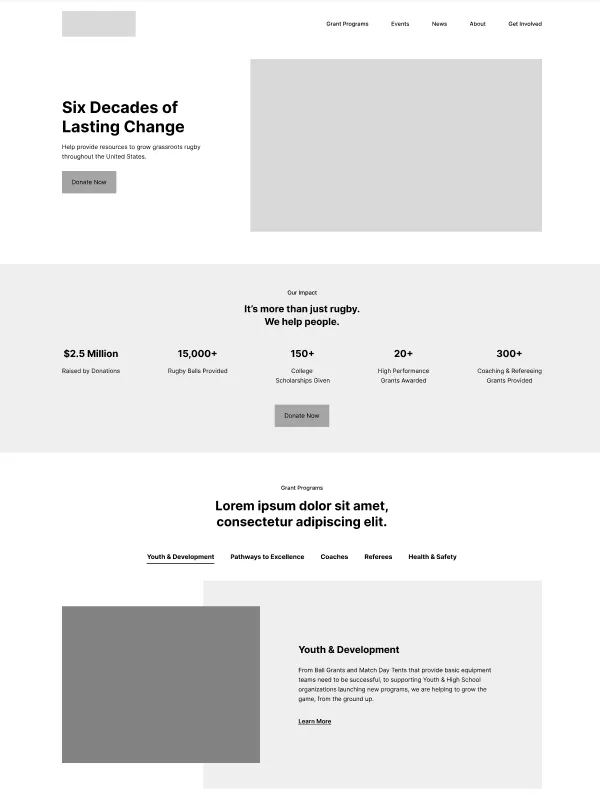
Structural Blueprint:
Create a skeletal outline of your website's layout. Focus on the placement of key elements and user interface components. This is your architectural masterpiece.
User Flow:
Map out the user journey from page to page. Ensure a logical and intuitive navigation experience. Think of it as planning the most scenic route for your users.
5. Design: Bringing Your Vision to Life
Now that you have the map, let's paint the canvas.
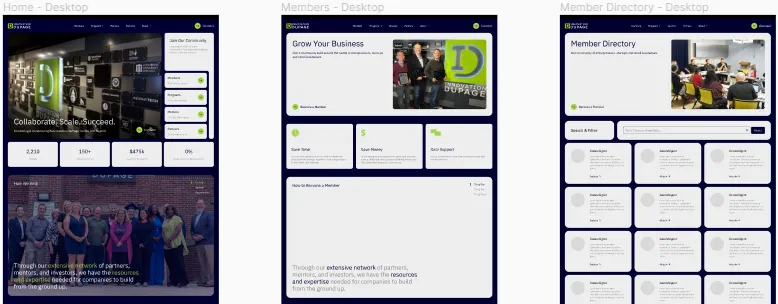
Visual Design:
Develop high-fidelity visual mockups based on the approved wireframes. Pay attention to branding elements, color schemes, and imagery. This is where your website gets its visual identity.
Feedback Loop:
Gather feedback from stakeholders and make necessary adjustments. It's like fine-tuning your playlist for the road trip—make sure it resonates with everyone.
6. Development: Making It Web-Ready with Webflow
Now it's time to build the engine that powers your journey.
Webflow CMS Structure:
Build out all CMS collections and add content if possible. Ensure CMS collection titles follow the sitemap structure where applicable.
Webflow Development:
Translate designs to Webflow, ensuring responsiveness across all breakpoints. Add interactions and animations as planned in the design. It's the engine that keeps your website cruising smoothly.
7. Test: Ensuring a Great User Experience
Before you hit the road, you've got to make sure your vehicle is in top shape.
Quality Assurance:
Conduct thorough testing to identify and fix bugs, broken links, etc. Test the website on multiple browsers and devices for compatibility. Your users deserve a seamless experience.
User Testing:
Gather feedback from real users to identify any usability issues. Make iterative improvements based on user input. It's like having co-pilots giving you directions along the way.
8. Complete: Launching the Website
Time to press the "Go Live" button and share your creation with the world.
Deployment:
Choose a site plan in Webflow and connect your DNS. Publish the website to go live. Your journey begins here.
Monitoring:
Implement tools for monitoring website performance. Address any post-launch issues promptly.
9. Reflecting on the Journey
As you reach your destination, take a moment to look back.
Project Evaluation:
Reflect on the project, considering what went well and areas for improvement. Gather insights to inform future projects because every website process teaches us something new.
Want to learn more? Take a look at what NOT to do with your site in our article Top 5 Common Mistakes Found On Websites.
Related Blogs
Lorem ipsum dolor sit amet, consectetur adipiscing elit, sed do eiusmod tempor incididunt ut labore et dolore magna aliqua. Ut enim ad minim veniam, quis nostru.

How to Plan Your Social Media Posts
There’s no ignoring the relevancy of social media in business. Apps like Instagram, Facebook, TikTok, and Twitter are some of the most convenient platforms people and businesses can use to interact with other people, influencers, and brands. This is why social media is now such an important part of so many companies’ digital marketing strategies. Social media can still be a daunting place. How do you organize your content? How can you create a sense of structure and strategy with your posts? How do you make sure the photos, graphics, and captions all make sense together? Fear not! We’ll discuss the answers to all these questions and more in this article.
.webp)
How to Write a SMART Goal + Resource Download
Setting and achieving goals is critical for the success of every organization. Though most companies are more than capable of setting goals, whether or not those goals are realistic and reachable is a different story. Disorganized and impractical goals can lead to several negative situations, including employee demotivation and stakeholder disappointment. This is why as a productive professional or a manager of any kind of process, you first need to know how to write SMART goals — goals that are specific, measurable, assignable, realistic, and time-related. In this article, we will be taking a deeper dive into what SMART goals are and the best method for creating them. We even provide a free SMART goal template for you at the end!

How to Create Welcome Emails for New Subscribers
Setting up welcome emails is one of the best strategies you can use to communicate with your subscribers and show that you value them. When people subscribe to you, you have a small window of time to make an impression and show them that their decision is wise. This can be difficult to do if you’re unsure of the essentials for welcome emails. While you want to put a unique spin on the emails you send to subscribers, you also want to cover all of the bases that create an effective welcome email. We have previously covered the ins and outs of email marketing campaigns and email automation. Now, you can learn about creating welcome emails that make a real difference in the way your customers view you! This article will describe the best way to create welcome emails for new subscribers to ensure that your email campaigns have the intended effect.
Reimagine Your Digital Impact
Transform your website, pitch decks, sales collateral and more, all with transparent, upfront, pricing.