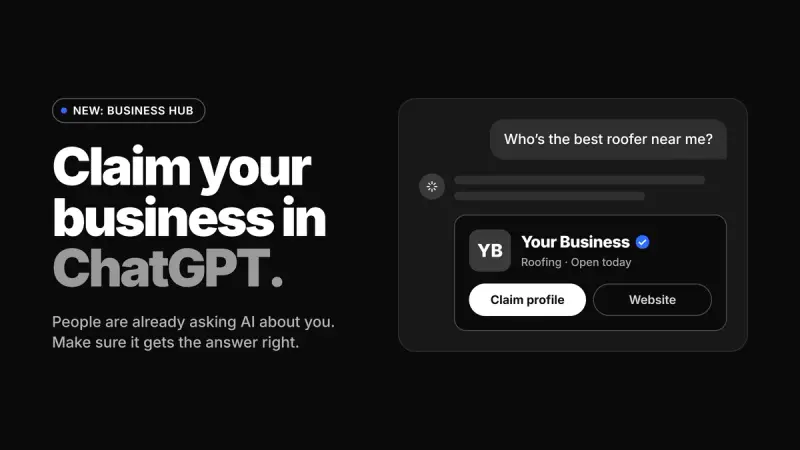
People are already asking ChatGPT for recommendations: who to hire, where to eat, which company to buy from. Until this week, you had no say in what it said about you. That changed when OpenAI launched Business Hub, and now every business owner can claim their business in ChatGPT and manage the profile people see.
The short answer: To claim your business in ChatGPT, go to chatgpt.com/business-hub, search for your business, and verify ownership by phone, business email, or a DNS record on your domain. Then pass an identity check with Persona and fill out your profile. Business Hub is free while it's in beta.
What is ChatGPT Business Hub?
Business Hub is a new section of ChatGPT where you can claim your business profile, keep your details current, and see how often ChatGPT mentions you. OpenAI put it into beta on November 10, 2026, and claiming a profile is free at launch.
If you've ever set up a Google Business Profile, this will feel familiar. You find your listing, prove you own it, and take control of the information. The difference is where that information shows up. When someone asks ChatGPT a question and your business comes up in the answer, they can click through to your profile. You want that profile to be accurate, complete, and written by you.
You also get data you couldn't see before. Business Hub shows your mentions, website clicks, and the "discovery topics" where you appear, all from the last 28 days. For most businesses, it's the first real look at how they show up in AI search.
Who should claim their business in ChatGPT?
Pretty much everyone. A local restaurant, a regional contractor, a B2B software company, and an online store all have the same problem: people are asking AI about businesses like theirs, and the AI is answering whether or not the owner has done anything.
There's one difference to know about. Local stores and restaurants can only claim a listing that already exists in the US. Online businesses can either claim a listing or add one. If you search for your business and don't find it, that tells you something useful about your visibility too.
The best reason to start now is the approval step. Verification isn't instant. OpenAI reviews your claim and sends its decision by email, and you can't edit your profile until it clears. Starting early means you aren't waiting while your competitors are already live.
How to claim your business in ChatGPT, step by step
The process takes some patience, but it isn't complicated. Here's the order to do it in.
1. Choose one owner
Pick one person with the authority to act for the business, and have them claim it using their own ChatGPT account. This is usually the owner, a partner, or a marketing lead. They can add teammates or an agency later, so the first claim doesn't need to involve everyone.
2. Find your listing
Go to chatgpt.com/business-hub and search for your business name. Pick the listing that matches your business and confirm which account will manage it.
3. Verify ownership
OpenAI gives you a few ways to prove the business is yours, depending on your business type: your business phone, your business email, or a DNS record on your website's domain. The DNS route is the one people usually get stuck on. It means adding a small record in your domain settings, which is easy if you know where those settings are and frustrating if you don't. After you submit, watch your inbox for OpenAI's decision.
4. Pass the identity check
Once your claim is approved, start "Complete verification with Persona" from your business overview. You'll need a government ID, your business registration details, and proof that you're authorized to act for the business. Your profile editing and insights stay locked until this step clears, so it's worth gathering the documents before you begin.
5. Complete your profile
This is the part that actually matters to customers. Add your website, description, category, logo, cover photo, location, contact details, hours, photos, and delivery and return policies if they apply. OpenAI reviews your edits before they go live, so give yourself a little lead time.
6. Check your numbers every month
Insights only cover a rolling 28 days, so older data drops off. Save a copy every month, and after a few months you'll be able to see whether your mentions and clicks are growing.
What to check before you hit submit
A published ChatGPT business profile can't be deleted, and that's the detail most people miss. Only unpublished drafts can be removed, and OpenAI Support won't unpublish a live profile for you. Go through every field slowly before it goes out.
Consistency is the next thing to get right. Your name, address, phone number, hours, and description should match your website and your Google Business Profile exactly. ChatGPT may draw on any of those sources, and when they disagree, you're the one who looks unreliable. A different suite number or an old phone number seems minor until it's the version an AI repeats to a potential customer.
Your content also has to follow OpenAI's policies, so leave out fake reviews, guarantees you can't back up, and hidden fees. If you run more than one brand, each one is managed separately. Claiming your main brand doesn't automatically claim its individual locations.
Will claiming your profile get you more visibility?
Not on its own, and it's better to know that going in. OpenAI is clear that claiming a profile doesn't guarantee better placement. ChatGPT still makes its own recommendations and pulls from other sources, so your profile is one input among several.
That's why Business Hub is the start of the work, not the end of it. The businesses that show up well in AI answers tend to have the same story everywhere: on their website, in their Google profile, in their sales materials, and now in ChatGPT. When your messaging is clear and consistent, AI has something solid to repeat. When it's scattered, AI just amplifies the confusion.
How Madak can help you claim your business in ChatGPT
We built a checklist for our own clients the day Business Hub launched, and it's turned into one of the most common requests we're getting. Most business owners can do this themselves. Many would rather not spend an afternoon on DNS records, ID checks, and profile copy while they're running a business.
As a data and AI-first agency, we can handle the whole thing with you. Your Madak strategist can help you claim and verify your listing, write a profile description that matches the rest of your brand, line up your website and Google Business Profile so all three tell the same story, and keep an eye on your monthly insights so you can see what's changing. If your profile goes live with mistakes, those mistakes stay public, so it pays to get it right the first time.
Frequently Asked Questions
Is it free to claim my business in ChatGPT?
Yes. Claiming and managing a profile in Business Hub is free while the product is in beta. OpenAI hasn't said whether that will change later, so it makes sense to claim yours while it's free.
How long does verification take?
There's no fixed timeline. After you verify ownership, OpenAI reviews your claim and emails you its decision, and then you complete a separate identity check with Persona. Plan for it to take a few days, not a few minutes.
Can I delete my ChatGPT business profile after it's published?
No. Only unpublished draft profiles can be deleted, and OpenAI Support can't unpublish or hide a live profile. Check every detail before you submit.
Does claiming my profile mean ChatGPT will recommend my business more often?
Not necessarily. Claiming gives you control over your information and access to insights, but ChatGPT still makes independent recommendations from several sources. A consistent presence across your website, your Google profile, and Business Hub gives you the best chance.
Can an agency manage my ChatGPT business profile?
Yes. The person who claims the business can add teammates or an agency after the profile is set up. Many businesses have their owner make the first claim and then hand the ongoing management to their marketing partner.
Claim it before someone else defines it
ChatGPT is already describing your business to people who are ready to buy. Business Hub is the first real chance to have a say in what it tells them, and it costs you nothing but a bit of time. If you'd rather spend that time running your business, talk to your Madak strategist and we'll set it up with you.